
Your business, all in one place
Everything works better when it's together.
From your website and customer enquiries to appointments, quotations and invoices, Sole Trader Admin brings your everyday business essentials into one straightforward dashboard.
Creating an account does not start a subscription.
Six essentials for everyday work
Website, enquiries, customers, diary, quotes and invoices connect as a job moves forward. You decide each step. Sole Trader Admin keeps the details together on one business.
Website and enquiries
A trade website you edit yourself, and the messages that arrive from it.
Website
Choose your trade when you set up. New sites use a photograph-led layout with colour presets you can change.
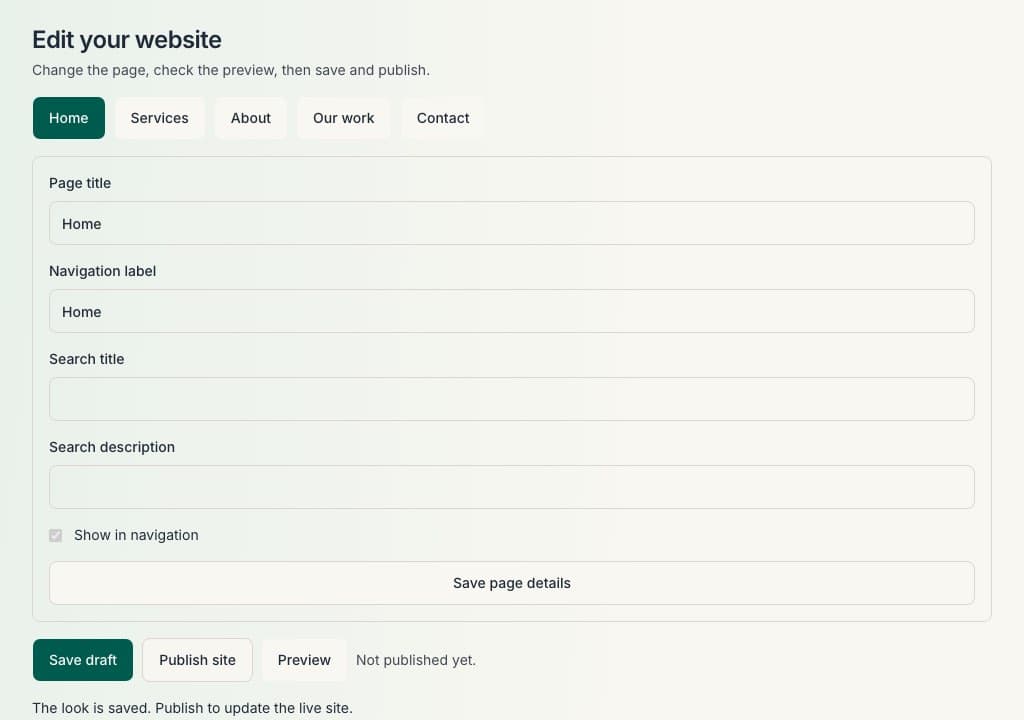
Edit business information, services and photographs in sections, then publish when you are ready. Home, Services, About, Our work and Contact are the public pages today.
Show work in the gallery page. You add the photographs; nothing is copied from elsewhere.
Enquiries
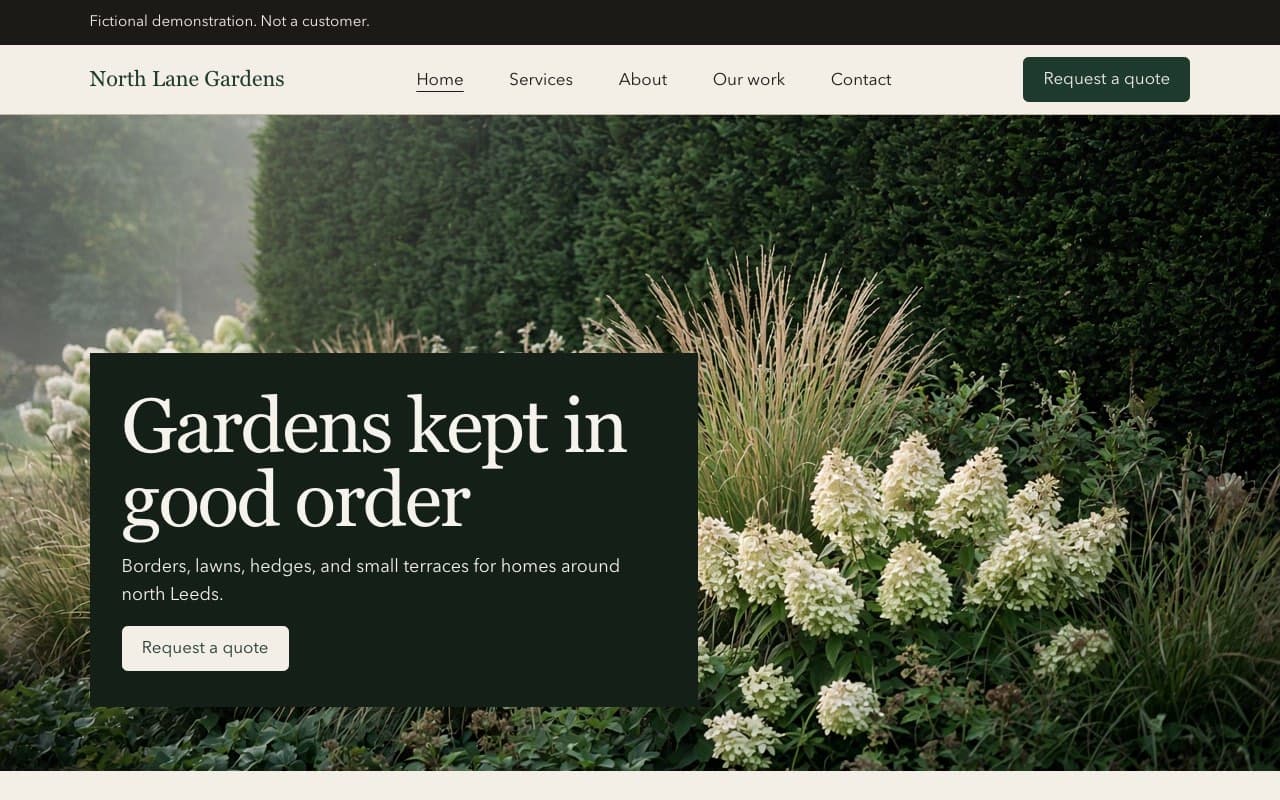
Visitors send a message from your published site.
Each enquiry is stored in your dashboard with their name, contact details and what they asked for. You can see whether you still need to reply.
Customers and diary
Customer records and a simple diary for visits, notes and follow-ups.
Customers
Turn an enquiry into a customer when you are ready.
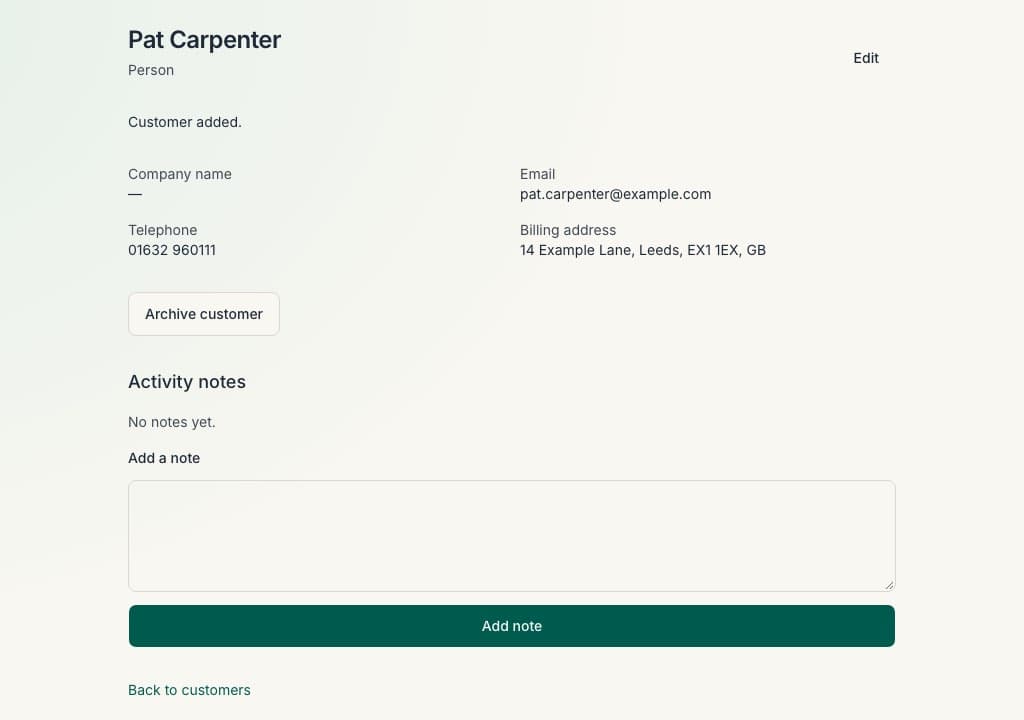
Name, telephone and address sit on one record, so the diary, quote and invoice use the same person.
Diary
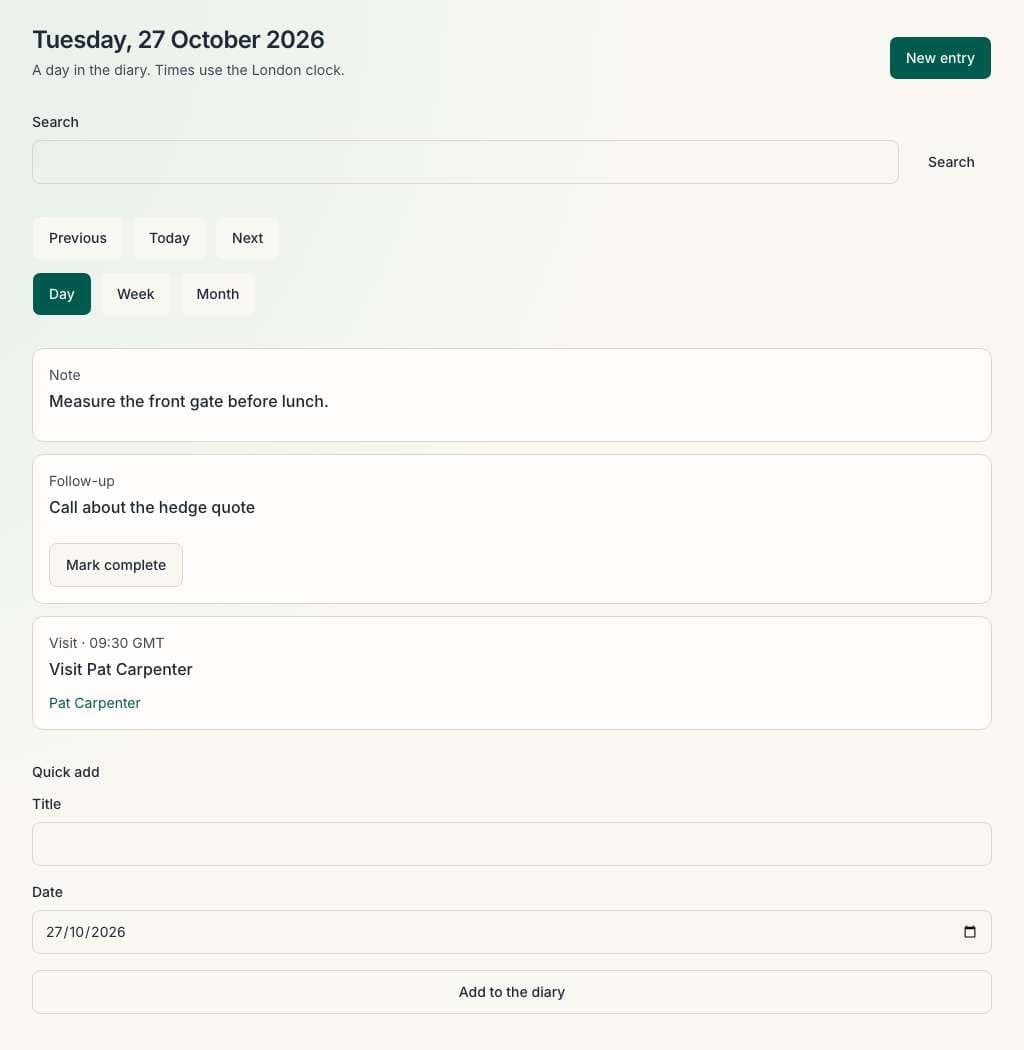
Note a visit, appointment or follow-up against that customer.
It is a simple business diary for your own day, not a staff rota. It does not sync with Google Calendar, Outlook or another calendar.
Quotes and invoices
Professional documents and a clear record of what you are owed.
Quotes
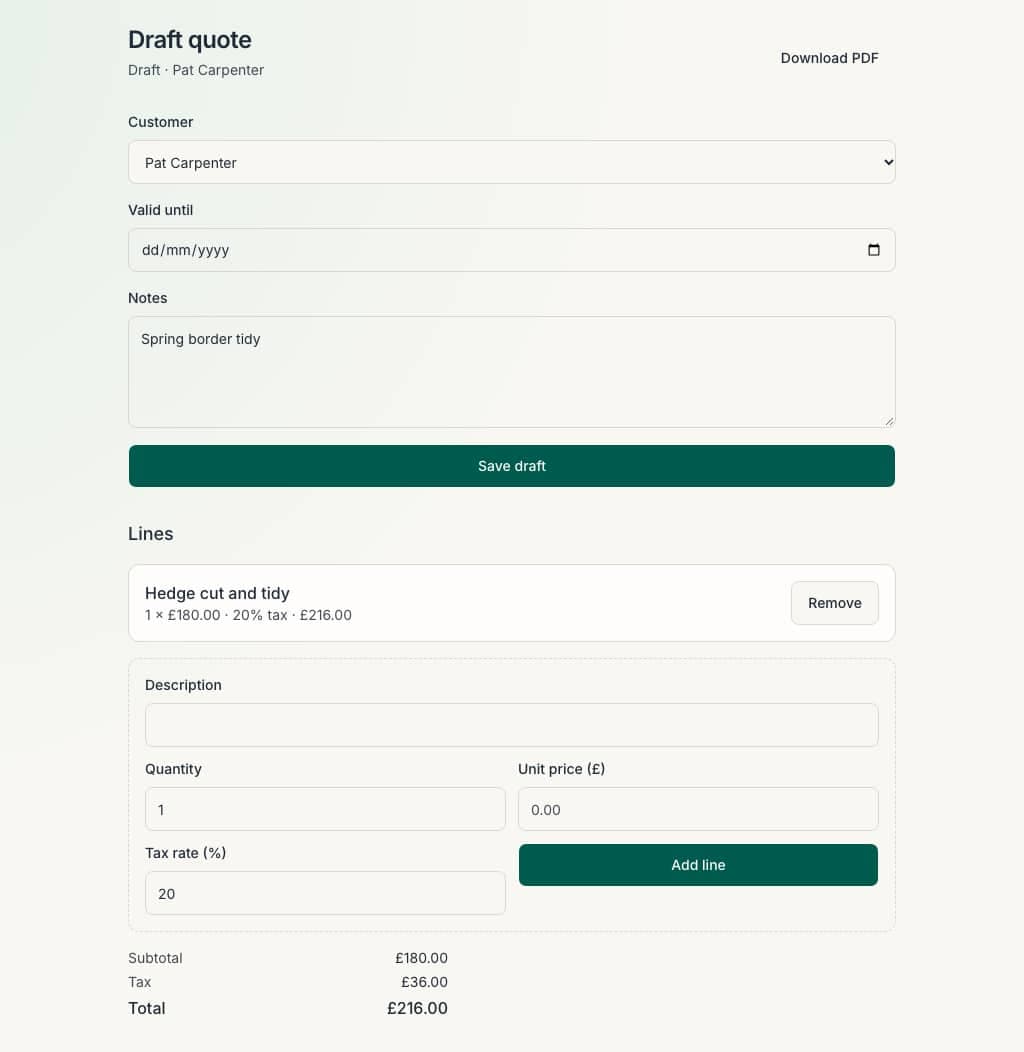
Write an itemised quote for the customer you already have.
Download a PDF or email it from Sole Trader Admin. Sending a quote does not take a payment.
When the work is agreed, you can raise an invoice from the same quote where the product supports it.
Invoices
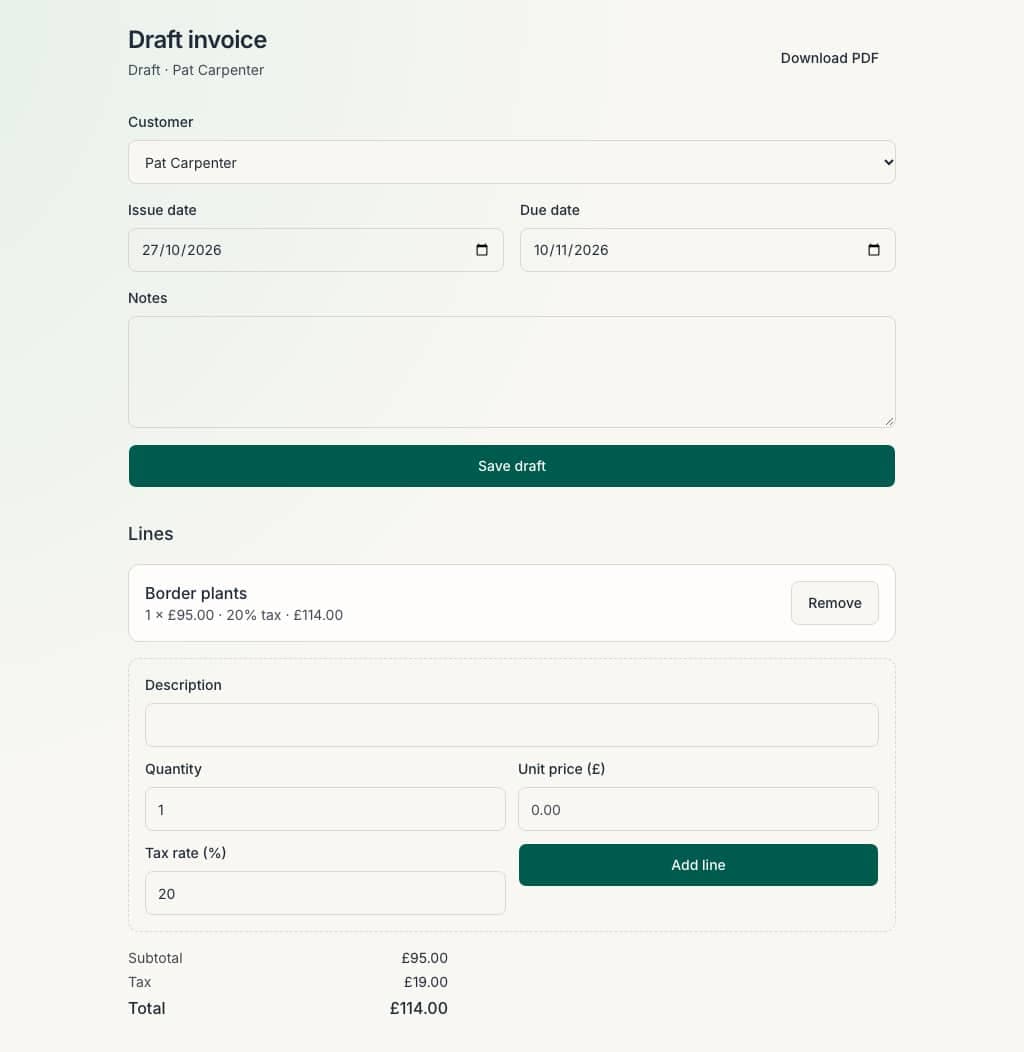
Create an invoice from agreed work, with line items and a PDF you can send.
Record when the customer pays you in full by your own method. Sole Trader Admin does not take card payments or collect invoice payments online.
From the first enquiry to the final invoice.
A customer finds your business, gets in touch, books a visit and receives a quote. Sole Trader Admin helps you keep the important information together as the job progresses.
Website
Make a great first impression.
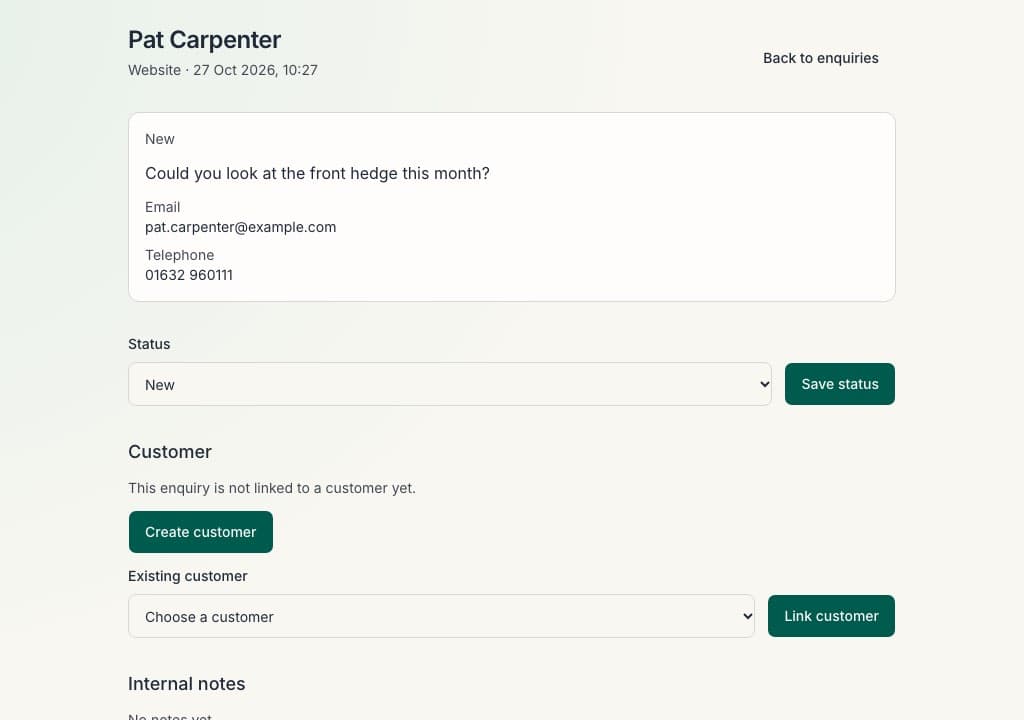
This is the page a visitor sees. You change the words and photographs, then publish.
Enquiry
Keep new enquiries together.
A visitor writes from the site. You see the name, the message, and whether you still need to reply.
Customer
Keep their details handy.
The name, telephone and address sit on one record, so the diary, the quote and the invoice use the same person.
Diary
Plan the visit.
Note a visit or a follow-up against that customer. A simple diary for your own day, not a staff rota.
Quote
Send a professional quote.
Write the price once for the customer you already have. You can download a PDF.
Invoice
Keep track of payment.
Raise the invoice from the work you have agreed. Your customer pays you by your own method.
The screens below follow one sample job on the North Lane Gardens demo site. Sole Trader Admin does not move work between stages for you.
Getting started
Guided setup walks you through trade, contact details, logo, services and your website choice. You can leave and come back; saved details stay on your business.
You can start with customers, the diary, quotes or invoices and return to website setup later if that suits you better.
Tell us about your business
Choose your trade and enter your basic business details.
Make it your own
Add your logo, services and photographs, and prepare your website if you want one.
Demo site Start getting organised
Use your dashboard to manage customers, appointments, quotes and invoices.
One straightforward price
£29 a month, or £249 a year.
Both options include the same features. £29 a month, or £249 a year. You cannot pay on this website yet.
Create an account when you are ready.
Your website, enquiries, diary, quotes and invoices in one dashboard.
Creating an account does not start a subscription.